Mobile app development trends in 2026 are no longer about chasing novelty — they are about deciding which shifts change your unit economics and which ones are noise. On-device AI, mature cross-platform frameworks, and biometric-first security have moved from “nice to have” to baseline expectations on both Android and iOS. Businesses that treat these as checkboxes ship apps that feel a year behind the moment they launch.
This guide breaks down the mobile app development trends actually worth a product roadmap slot in 2026 — AI-powered features, cross-platform frameworks, enhanced security, and the UX patterns users now expect by default — and where the hype outruns the substance.
💡 Insight: Most “trend” lists rank features by buzz, not by return on engineering effort. The trends below are ordered by how directly they affect cost, retention, or compliance risk — the three levers that actually move a business case.
AI-Powered Features Are Becoming the Default, Not the Differentiator
AI is no longer a feature you bolt onto a mobile app — it is infrastructure the app is built around. The shift in 2026 is from cloud-only AI calls to on-device inference: smaller, quantized models running directly on a phone’s neural processing unit for tasks like transcription, image recognition, and recommendation ranking.
The practical upside is threefold. On-device models respond faster because there is no round trip to a server. They keep working offline. And they keep sensitive data (health records, financial details, biometric templates) on the device instead of streaming it to a third party — a meaningful compliance advantage under GDPR and India’s DPDP Act.
For a HealthTech client, Tecorb’s mobile team built AI-assisted intake screening into the Learn Autism app, using on-device pattern recognition to flag behavioral markers without sending session data off the phone. That single architectural decision — process locally, sync only summaries — cut both latency and the data-governance review cycle for the client’s compliance team.
Generative AI features (chat-based support, AI-drafted content, voice agents) are following the same pattern: hybrid architectures where lightweight models handle common cases on-device and a cloud LLM handles the long tail. Expect this hybrid split, not “everything in the cloud,” to define 2026 AI-in-mobile architecture.
Cross-Platform Frameworks Are Now the Default Choice for Most Apps
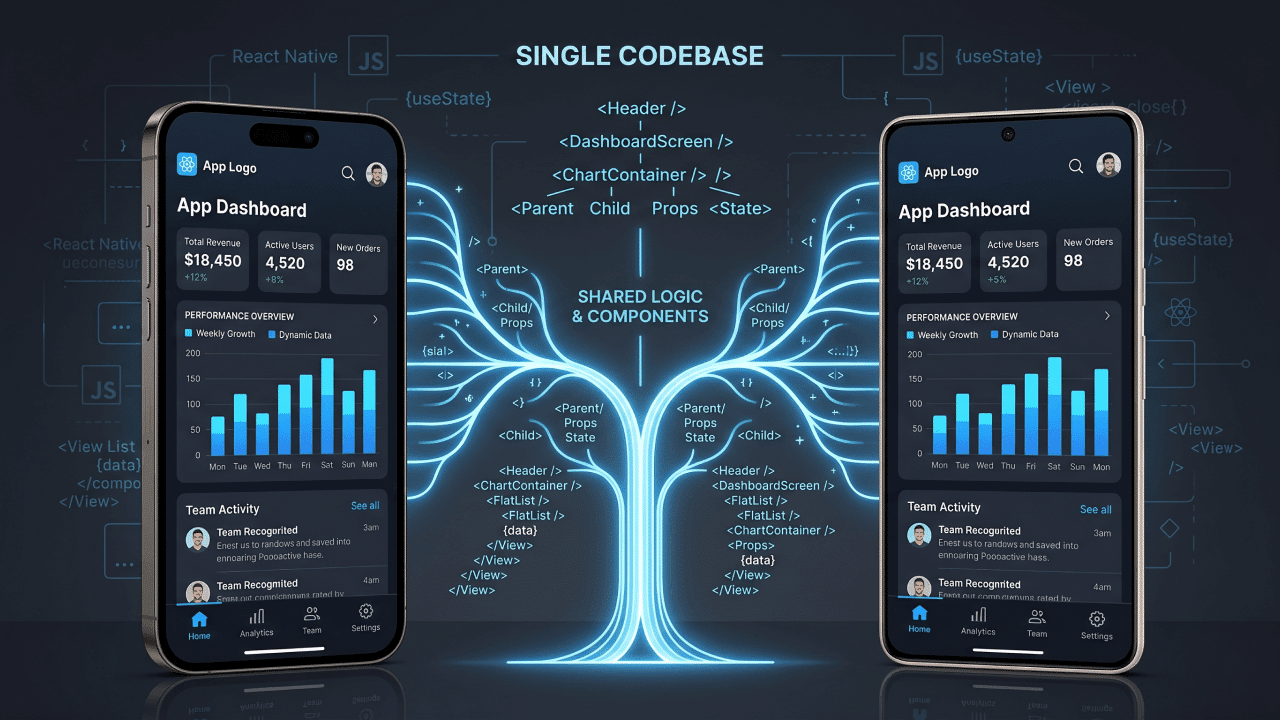
Cross-platform is no longer the compromise choice — for most product categories, it is the default one. React Native, Flutter, and Kotlin Multiplatform have matured to the point where enterprise teams routinely ship a single codebase to both iOS and Android without the performance penalty that plagued cross-platform tools five years ago.
The business case is straightforward: one codebase means one team, one release cadence, and roughly 30-40% lower engineering cost than maintaining separate native codebases for most CRUD-and-workflow app categories. Native still wins for apps leaning hard on device-specific APIs — ARKit-heavy AR apps, low-level camera pipelines, or apps chasing every millisecond of frame-rate headroom in a game engine.
| Framework | Best for | Language | Notes |
|---|---|---|---|
| React Native | Content, marketplace, and workflow apps with a JavaScript/TypeScript team already in place | JavaScript / TypeScript | Large hiring pool; Hermes engine has closed most of the startup-time gap with native |
| Flutter | Apps needing pixel-identical UI across platforms and heavy custom animation | Dart | Single rendering engine (Skia/Impeller) means fewer platform-specific UI bugs |
| Kotlin Multiplatform | Teams with an existing native Android codebase adding iOS, sharing business logic only | Kotlin | UI stays native per platform; shares logic, not rendering — best fit for teams unwilling to give up native UI |
⚠️ Watch out: Picking a cross-platform framework because it’s trending, not because it fits your team’s existing skill set, is the single most common rework trigger we see. A React team forced onto Flutter loses 2-3 months to a language switch before they ship anything.
Enhanced Security Is Table Stakes, Not an Add-on
Users in 2026 expect biometric authentication, encrypted local storage, and visible privacy controls as a default, not a premium feature. Face ID, fingerprint unlock, and passkey-based login have gone from differentiators to abandonment risks when missing — users bounce off apps that still ask for a typed password on a phone that supports biometrics.
On the backend, the OWASP Mobile Top 10 remains the baseline threat model every mobile team should build against: insecure data storage, weak server-side controls, and insufficient cryptography still account for the majority of mobile app breaches reported each year. Certificate pinning, encrypted local databases (SQLCipher, EncryptedSharedPreferences on Android, Keychain on iOS), and short-lived tokens with refresh rotation are no longer “enterprise-only” requirements — they are the minimum bar for any app handling payment, health, or identity data.
Regulatory pressure is accelerating this. Apps in fintech and healthcare now routinely need to demonstrate compliance with frameworks like PCI DSS, HIPAA, or India’s DPDP Act during app store review and enterprise procurement, and app stores themselves have tightened privacy-label enforcement on both the Apple App Store and Google Play.
Seamless UX Trends Reshaping Android and iOS Design
The UX bar in 2026 is near-instant response, minimal friction, and design that adapts to context rather than forcing a single flow on every user. Three patterns show up across the highest-retention apps we’ve studied:
- Adaptive layouts over fixed screens. Material Design 3 and Apple’s Human Interface Guidelines both push dynamic, content-aware layouts that reflow for foldables, tablets, and varying font sizes rather than a rigid phone-only grid.
- Micro-interactions with real feedback. Haptic taps, subtle motion on state changes, and skeleton loaders instead of blank screens or spinners — small signals that reduce perceived wait time even when actual latency hasn’t changed.
- One-handed and gesture-first navigation. With average phone screen sizes still growing, bottom-anchored navigation and swipe gestures are replacing top-nav patterns that assume a smaller device.
Tecorb’s Caregiver Finder app rebuilt its onboarding flow around exactly this pattern — cutting form fields from 14 to 6 per screen and replacing static dropdowns with adaptive, pre-filled suggestions — and saw onboarding completion improve measurably within the first release cycle.
Other Mobile App Development Trends Worth Watching in 2026
A few trends do not deserve a dedicated roadmap item yet but are worth tracking:
- 5G-enabled experiences — real-time AR overlays and high-bandwidth streaming features that only make sense once 5G penetration clears a critical mass in your target market.
- Super apps — bundling payments, messaging, and commerce into one app shell, a pattern proven in Asian markets and now being tested by Western fintech and retail players.
- Cloud-native backends — serverless functions and managed Kubernetes for the API layer, reducing the operational overhead of scaling a mobile backend during traffic spikes.
None of these change a 2026 product roadmap on their own — treat them as backlog items to revisit once the core AI, cross-platform, and security decisions are settled.
How to Decide Which Mobile App Development Trends Are Worth Investing In
Score every trend against three questions before it earns a sprint: does it reduce cost, does it reduce risk, or does it move a retention metric you already track? If a trend doesn’t move at least one of those three, it belongs on a “watch” list, not a roadmap.
- Cost impact — Does adopting this trend reduce engineering hours, hosting spend, or support ticket volume?
- Risk impact — Does it close a compliance gap or reduce a known security exposure?
- Retention impact — Does it address a friction point already visible in your analytics (drop-off screens, support tickets, low-rated app store reviews)?
✅ Pro tip: Run this three-question filter against your last 12 months of app store reviews before committing to any trend. Reviews almost always reveal which of these three levers your users actually care about — and it’s rarely the one marketing assumed.
Common Mistakes Businesses Make When Chasing Mobile Trends
- Adopting a framework before validating team fit. Switching to Flutter or Kotlin Multiplatform without checking whether the team knows Dart or Kotlin adds months before the first feature ships.
- Bolting AI onto an existing flow instead of redesigning around it. A chatbot widget stapled onto an unchanged app rarely performs; AI features work best when the flow is redesigned around the assistance.
- Treating security as a pre-launch checklist item. Certificate pinning and encrypted storage are architecture decisions, not late-stage patches — retrofitting them after launch is 3-5x more expensive.
- Copying UX patterns without the underlying data. A competitor’s onboarding flow works because of their specific user base; copying the pattern without your own drop-off data is a guess, not a decision.
- Skipping a phased rollout. Trend features (on-device AI, biometric login) should ship behind a feature flag to a subset of users first — a full rollout without one turns any regression into a full-scale incident.
Frequently Asked Questions
What is the biggest mobile app development trend for 2026?
On-device AI is the trend with the broadest business impact in 2026. It cuts latency, works offline, and keeps sensitive data on the device rather than a server — which matters for both user experience and compliance in regulated industries like health and finance.
Should my business choose React Native or Flutter in 2026?
Choose React Native if your team already knows JavaScript or TypeScript and you need a large hiring pool. Choose Flutter if you need pixel-identical UI across platforms and heavy custom animation. Neither is universally “better” — the deciding factor is usually existing team skill set, not framework benchmarks.
Is cross-platform development good enough for enterprise apps in 2026?
Yes, for most enterprise app categories — content, workflow, and commerce apps — cross-platform frameworks now match native performance closely enough that the cost savings outweigh the trade-off. Apps requiring deep device-specific APIs (AR, low-level camera, gaming) still benefit from native development.
How much does enhanced mobile security add to development cost?
Building biometric authentication, encrypted local storage, and certificate pinning in from the start typically adds a small percentage to initial development time. Retrofitting the same security features after launch costs three to five times more, because it means rearchitecting data flows already in production.
Do users actually notice UX changes like micro-interactions?
Yes — haptic feedback, skeleton loaders, and adaptive layouts directly affect perceived performance, which shows up in app store ratings and session length even when server response times haven’t changed. Users rate an app as “fast” based on feedback cues as much as actual latency.
What mobile app trends should small businesses skip in 2026?
Super apps and heavy 5G-dependent features are lower priority for most small businesses — they require scale and market penetration that a single-product app rarely has yet. Prioritize on-device AI, a fitting cross-platform framework, and baseline security first.
How do I know if my app needs a redesign around AI in 2026?
If your support tickets or app store reviews mention slow responses, repetitive manual data entry, or generic recommendations, those are signals an AI-assisted flow — not a bolt-on chatbot — would address the actual friction point.
Where to Start
Pick the trend that maps to a metric you already track — cost per release, security audit findings, or a retention drop-off in your analytics — and scope one sprint around it before touching the rest of this list. The teams that win in 2026 aren’t the ones adopting every trend; they’re the ones adopting the two or three that move a number they can already see.
Tecorb’s mobile team has shipped cross-platform and native apps across HealthTech, on-demand, and enterprise workflows, including Learn Autism and Caregiver Finder. If you’re scoping a 2026 roadmap and want a second opinion on which trends are worth the sprint, see how Tecorb approaches mobile app development or browse the portfolio for examples closer to your industry.